Regis Barbanchon
http://regis.barbanchon.free.fr
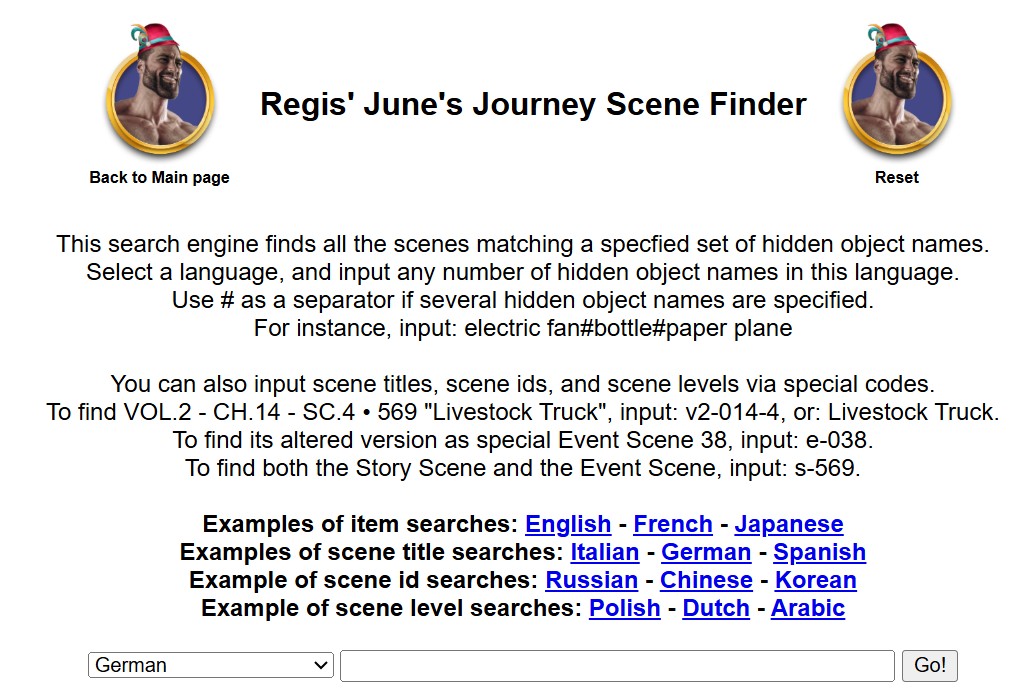
How do I search on this page?

set the desired language
the objects you are looking for (actually existing!!),
separated by the character: # specify
(up to three objects can be entered)
It is helpful here if you have already opened the scene once
and the scenes you are looking for were listed there:

All scenes containing these search criteria are displayed:
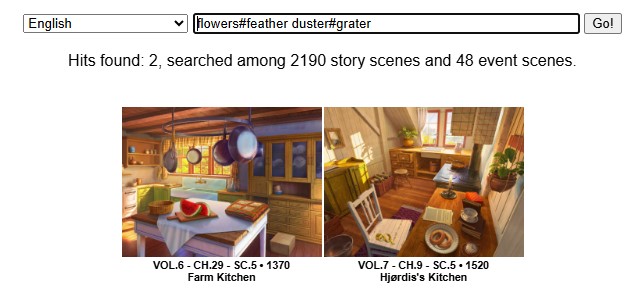
After clicking on the corresponding scene, the image is displayed with all objects
and all objects individually below it.
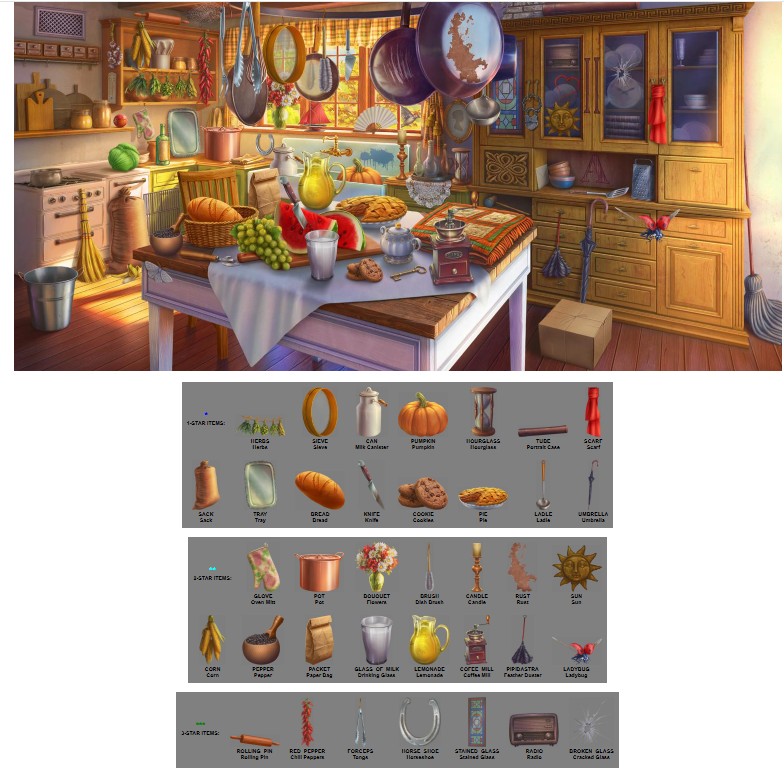
Now I have all the time in the world to search for every object in the picture above!
Once I have gone through all the objects two or three times,
nothing should stand in the way of the search in the competition (Secrets, RAA, Detective Partner).
It would be helpful here to have two devices available: a tablet and a cell phone.
It would be helpful to have two devices available: a tablet and a cell phone.
Then I can display the objects on one device
and search for them on the other. But this is not absolutely necessary!